
Close Menu
  • Home
  • News
  • Tech Jungle
  • RAWRMag
  • BIZnest
  • Brands
  • About
    • BE PART OF THE LIONHEARTV FAMILY!
    • THE PRIDE
    • ADVERTISE AT LIONHEARTV
What's Hot

EastWest Earns Citations for Excellence in Corporate Financing

March 31, 2026

New Balance and Foot Locker Exclusively Launch ABZORB 2000 Colorways with Global Football Star Endrick

March 31, 2026

Holy Week Travel Demand Surges as Filipinos Drive 50% Year-on-Year Growth in International Trips Abroad

March 31, 2026
Facebook X (Twitter) Instagram
Facebook X (Twitter) Instagram YouTube TikTok
LionhearTVLionhearTV
  • Home
  • News
  • Tech Jungle
  • RAWRMag
  • BIZnest
  • Brands
  • About
    • BE PART OF THE LIONHEARTV FAMILY!
    • THE PRIDE
    • ADVERTISE AT LIONHEARTV
LionhearTVLionhearTV
Home»Business and Finance»Cash in to your PayMaya account for FREE via BPI, Ministop, Smart Padala
Business and Finance

Cash in to your PayMaya account for FREE via BPI, Ministop, Smart Padala

Lion's DenBy Lion's DenAugust 16, 2021No Comments3 Mins Read
Share
Facebook Twitter Reddit Pinterest Email

You can now cash in to your PayMaya account FOR FREE via BPI (linked account), Ministop, and your trusted Smart Padala agent – making it easier than ever to go cashless for your everyday transactions.
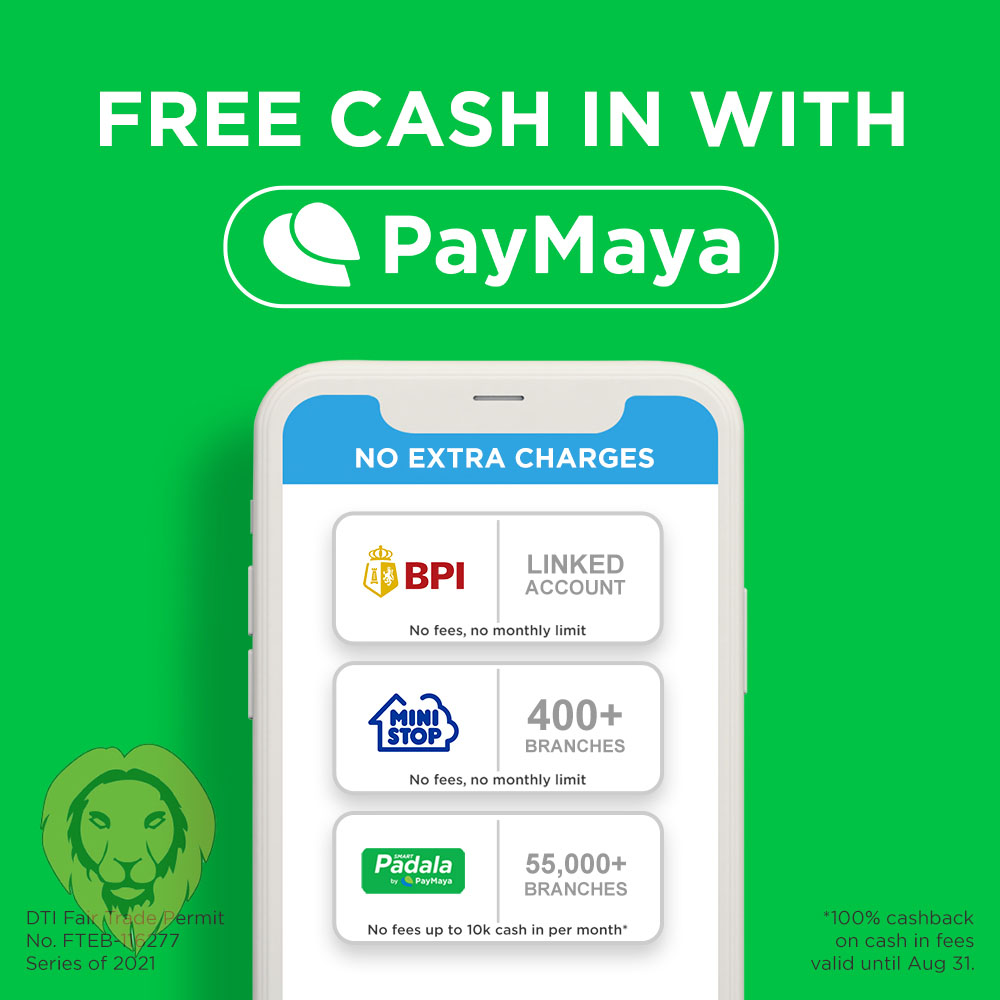
Wherever you are, and whether you want to do it online or in your go-to establishment, PayMaya offers the most accessible way to cash in to your account for free! Here’s how:

Cash in via BPI

If you’re a BPI account holder, there’s no need to go out of your house because you can quickly cash in to your PayMaya account for free by simply linking your BPI account to your PayMaya e-wallet. Just follow these easy steps:

  • Select the “Cash In” icon on your PayMaya app’s home screen. Tap “Bank Account,” then select the BPI logo.
  • Enter the desired amount, then select “Continue”. You will get a prompt to log in to your BPI Online Banking account.
  • Select your source account, click “Continue” Review your transaction details, and click “Send Code” to proceed.
  • Input the one-time PIN you’ll receive via SMS. Click “Submit”

Once your transaction is successful, you will receive a text confirmation from PayMaya. And that’s it! Now, you can save on cash in fees and complete your hassle-free transaction with just a few clicks from your phone.

Cash in via Ministop

You can also enjoy free cash in at over 400 Ministop branches across the country. With this, you can save as much as P200 on fees – which you can now use to buy your favorite snacks or chicken meal at Ministop!

To start cashing in to your PayMaya account at your go-to branch, simply follow these instructions:

  • Select the “Cash In” icon on the home screen of your PayMaya app, and tap the Ministop logo.
    Enter the desired amount, then select “Continue”.
  • Go to any Ministop branch and present your generated barcode to the cashier, along with the cash in amount to the cashier.
  • Wait for the SMS confirmation before leaving the store, and that’s it!

Cash in via Smart Padala

Wherever you live, there’s always a Smart Padala agent near you, and this makes putting money to your PayMaya account so much more convenient. With over 55,000 Smart Padala agent network touchpoints nationwide, cashing in is as easy as heading to your neighborhood sari-sari store.

Now, completing this transaction is also sulit, as PayMaya gives you a 100% cashback on your service fee whenever you cash in to your account until August 31, 2021. This cashback promo is valid for cash amounts of P10,000 and below.

Cashing in to your PayMaya account at your trusted Smart Padala agent is easy. Here’s how you can do it:

  • On your PayMaya app, tap “Cash In,” then select “Smart Padala via Code” and enter the amount you want to add to your account.
  • Present the Cash In Code and a valid ID to your Smart Padala agent and and provide the cash in amount and the 1% cash in fee.
  • You will receive a confirmation message via SMS regarding your transaction as well as the 100% cashback on your cash in fee.

With more ways to cash in to your PayMaya account for free, you can now enjoy cashless convenience when buying groceries, transferring money to your loved ones, or paying your bills completely worry-free. To top it off, you can spend what you saved on cash in fees on things that matter to you – be it an extra order of your favorite food or perhaps a small donation to those in need through your favorite charitable institution.

Comments

BPI Cash in Ministop PayMaya Ripple8 Smart Padala
Share. Facebook Twitter Pinterest LinkedIn Reddit Email
Previous ArticleiQiyi’s Five Tips to Find Your True Love!
Next Article Daniel Padilla compares himself to a ship while Kathryn Bernardo as his anchor
Lion's Den
  • Website
  • Facebook
  • X (Twitter)
  • Instagram

LionhearTV has always believed in what the everyday reader can contribute, and has always been open to receiving input, help, or leads on stories. Readers are always encouraged to drop us their thoughts either by either by leaving a comment on a post, or contact us directly – email us at lionheartvnet@gmail.com.

Related Posts

EastWest Earns Citations for Excellence in Corporate Financing

March 31, 2026

PLDT Enterprise Bolsters AI Adoption in the Workplace With Digital Assistant ‘Ellie’

March 31, 2026

Kaila Estrada Inspires Confidence with Modess at Watsons BeautyCon 2026

March 28, 2026

GoTyme Bank brings FIFA World Cup 2026 closer to Pinoy fans with limited-edition debit cards

March 28, 2026
Add A Comment

Comments are closed.

Find us on Facebook
Blogmeter.Top


Trending

LionhearTV continues to grow: Strengthening BIZNest, Tech Jungle, and RAWRTrip for 2026

February 14, 2026

15 Adored PH Celebrity Loveteams That Eventually Parted Ways

February 2, 2026

25 Best Teleseryes of 2025

January 14, 2026

GMA Pictures rolls out ambitious 2026 film slate, highlights animated features and major industry collaborations

January 7, 2026

Invited but silent: Celebrities, Influencers face backlash for not promoting MMFF 2025 films

January 3, 2026
Showbiz News

JM Yosures calls out ‘Alvin,’ urges public: ‘Don’t give him a platform’

March 31, 2026

Dominic Ochoa recalls Rico Yan’s final moments, debunks long-standing rumors

March 31, 2026

Vice Ganda celebrates 50th birthday with heartfelt tributes from loved ones

March 31, 2026

Klarisse De Guzman denies pregnancy rumors with witty response

March 31, 2026

Shuvee Etrata says ‘no rush’ with Anthony Constantino, jokes suitor may wait ‘10 years’

March 31, 2026
Most Viewed

EastWest Earns Citations for Excellence in Corporate Financing

March 31, 2026

New Balance and Foot Locker Exclusively Launch ABZORB 2000 Colorways with Global Football Star Endrick

March 31, 2026

Holy Week Travel Demand Surges as Filipinos Drive 50% Year-on-Year Growth in International Trips Abroad

March 31, 2026

JM Yosures calls out ‘Alvin,’ urges public: ‘Don’t give him a platform’

March 31, 2026

‘Firefly’ marks Philippine free TV premiere, other meaningful stories on GMA Network this Holy Week

March 31, 2026
eMVP Digital is an online empire that useful pieces of information and a resource for a daily dose of entertainment in all forms. It produces LionhearTV.net, Dailypedia.net, RAWR Awards, RAWRMag, DailyPIPOL, and Broken Lion. These platforms have a highly-engaged audience per month, which varies from ages and sexes.


Blogmeter.Top
© 2026 LionhearTV.net.
  • Home
  • News
  • Tech Jungle
  • RAWRMag
  • BIZnest
  • Brands
  • About
    • BE PART OF THE LIONHEARTV FAMILY!
    • THE PRIDE
    • ADVERTISE AT LIONHEARTV

Type above and press Enter to search. Press Esc to cancel.