
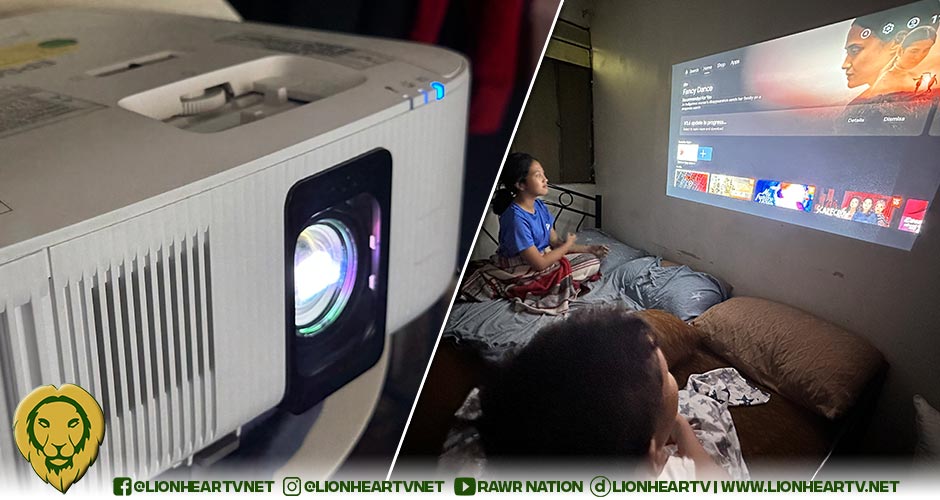

I’ve always been curious about projectors for home use, but never really jumped in because they either felt too technical or too expensive. So when I finally got my hands on the Epson EH-TW6250, I was excited—but also a little skeptical.

First Impressions. Let’s get this out of the way: it doesn’t look fancy. It’s a big, white box that looks like it belongs more in an office than a stylish living room. But hey, I’m more about performance than aesthetics—and this one is built solid.
One thing I loved right away: it comes with a long power cord (finally!). Plus, setting it up was easy. Just plug it in, pair the remote, connect to WiFi, sign into your Google account, and you’re ready to watch.
Setup & Android TV. This projector already has Android TV built-in, so you can install apps like YouTube, Netflix, and more directly on it. You can also cast from your phone using Chromecast. It’s just like a smart TV—only projected on your wall or screen.
But heads up: not all apps give you full 4K quality, depending on how they handle streaming. Some might only play in HD even if the projector is technically capable of more.

Picture Quality. For a projector in this price range, the picture is really impressive. It’s bright enough even in a room with some light on, and colors look vibrant thanks to Epson’s 3LCD tech—way better than cheaper projectors I’ve tried before.
It’s not true 4K, but it’s close enough. The image is clear, and honestly, if you’re just watching movies or streaming shows, you probably won’t even notice the difference.
That said, darker scenes can look a bit washed out, and black doesn’t always feel truly black. But in well-lit scenes, everything looks sharp and lively. Watching Elvis on 4K Blu-ray was a treat—those Vegas lights really popped!
Sound. It has a built-in speaker, but don’t expect cinema sound. It’s okay for quick viewing or if you’re in a pinch, but if you really want to enjoy movies, I suggest connecting a soundbar or Bluetooth speaker for better sound quality.
Gaming. I tried some cloud gaming and YouTube gameplay videos. It worked well enough for casual play, but if you’re super serious about gaming and need fast response times or 4K@120Hz—this might not be for you.
Practical Use. This projector performs best when you use it in a dim or dark room, and if you can project onto a proper screen (or even a clean white wall), the picture gets even better. If you use a plain sheet or a beige wall, the image may look duller.
Also, don’t rely too much on digital zoom—it dims the image. Move the projector closer or farther to get the size you want.
Other Things to Note: It’s a bit loud in high-performance mode (you’ll hear the fan if it’s close to you). It comes with two remotes, but neither is backlit, so using them in the dark can be tricky. You only get one free HDMI port since the other is used by the built-in Android TV dongle.
Tech Jungle‘s Verdict. If you’ve always wanted a cinema-at-home experience but don’t want to spend on a giant 4K TV, the Epson EH-TW6250 is a great alternative. It’s not perfect, especially for dark scenes or audio, but it’s probably the best projector I’ve tried at this price.
Whether you’re binge-watching Netflix, watching a concert with friends, or just want a bigger screen for your setup, this one is easy to use, reliable, and very enjoyable.
⭐️⭐️⭐️⭐️☆ – 4 out of 5
Best for: Movie nights, casual gaming, and anyone who wants a big-screen experience without breaking the bank.
