
Close Menu
  • Home
  • News
  • Tech Jungle
  • RAWRMag
  • BIZnest
  • Brands
  • About
    • BE PART OF THE LIONHEARTV FAMILY!
    • THE PRIDE
    • ADVERTISE AT LIONHEARTV
What's Hot

‘Wake up.’ Mika Salamanca calls out bashers after political tweet goes viral

May 17, 2026

Barbie Imperial shares pointed message amid Senate controversy

May 17, 2026

‘Sulong’ brings together KAIA, HORI7ON, and 1ST.ONE in historic P-Pop collaboration

May 16, 2026
Facebook X (Twitter) Instagram
Facebook X (Twitter) Instagram YouTube TikTok
LionhearTVLionhearTV
  • Home
  • News
  • Tech Jungle
  • RAWRMag
  • BIZnest
  • Brands
  • About
    • BE PART OF THE LIONHEARTV FAMILY!
    • THE PRIDE
    • ADVERTISE AT LIONHEARTV
LionhearTVLionhearTV
Home»Reviews»Reasons why you should upgrade to the new cover screen of the OPPO Find N3 Flip
Reviews Technology

Reasons why you should upgrade to the new cover screen of the OPPO Find N3 Flip

Flow GalindezBy Flow GalindezJanuary 5, 2024No Comments2 Mins Read
Share
Facebook Twitter Reddit Pinterest Email

The release of the OPPO Find N3 Flip has sparked immense interest, and rightfully so. This foldable smartphone isn’t just talk—it’s a well-deserved anticipation that’s creating quite the buzz.

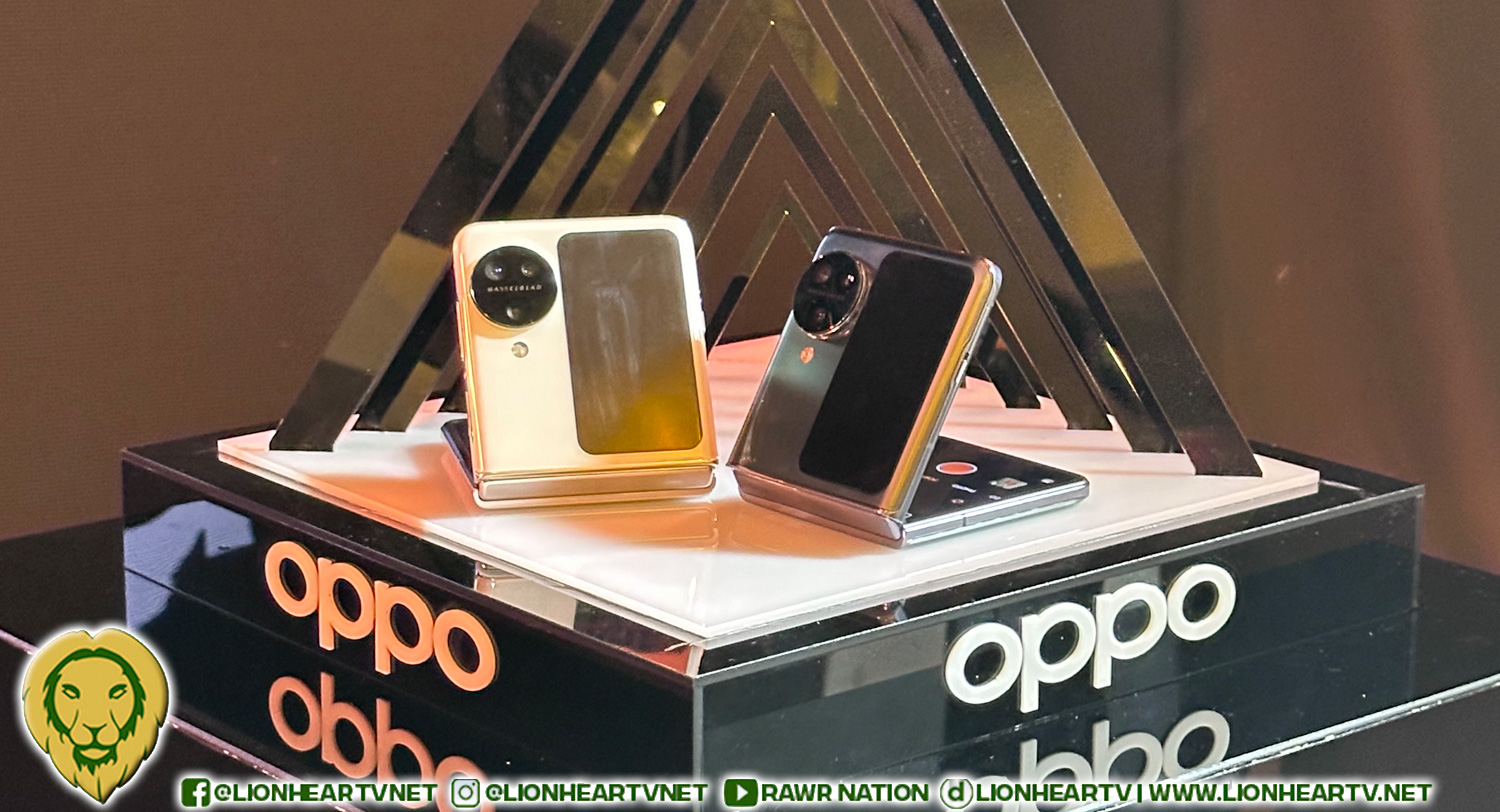
Setting itself apart with a vertical cover screen and an innovative triple-camera system, including a Telephoto lens, the OPPO Find N3 Flip isn’t your run-of-the-mill device. It seamlessly combines style, functionality, and reliability into one impressive foldable phone.

Here’s what makes this upgrade so remarkable:

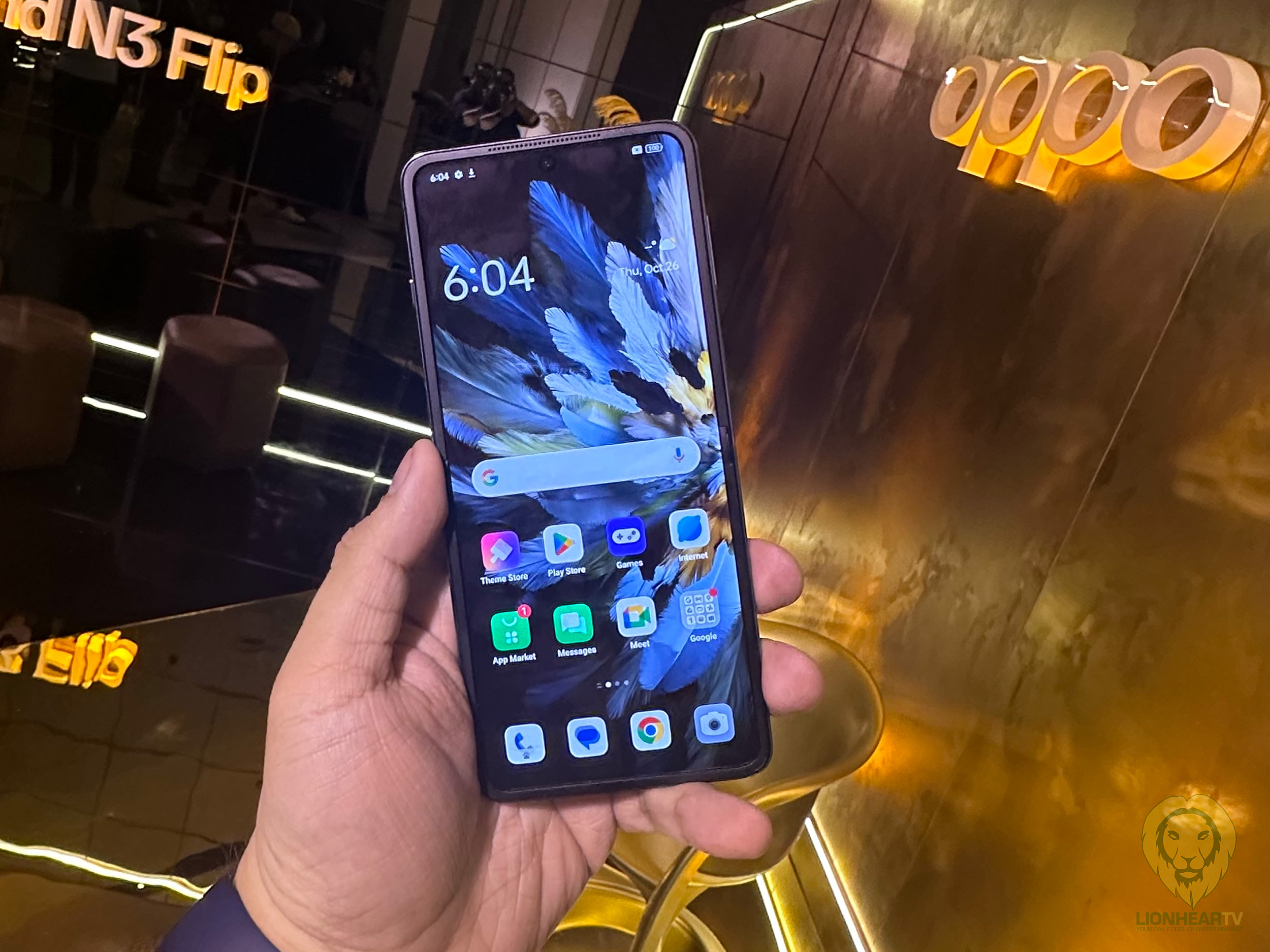
Access Apps from the Cover Screen: With over 80 mini apps available from the cover screen, including popular third-party apps like Gmail, Google Maps, WhatsApp, and more, accessing essential functions without fully opening the device is a breeze. This feature from the OPPO App lab allows efficient management of emails, messages, and social media with just a swipe left.

Interactive Cover Screen Pets: Beyond productivity, the OPPO Find N3 Flip introduces playful 3D animations of pets like birds, cats, and dogs on the cover screen. These animated companions mirror your activities while adding a delightful touch.

Effortless Photography: Folding the OPPO Find N3 Flip activates FlexForm Mode, turning the device into a stable surface for capturing selfies or group photos. Preview shots on the cover screen and harness superior camera quality for professional-grade results.
Cosmos Ring Design: With a sophisticated Cosmos Ring design adjacent to the cover screen, this phone stands out as the first flip phone with a triple-camera setup, maintaining reliability without compromising functionality.

Customizable Widgets: The upgraded cover screen apps and widgets menu offers intuitive navigation. Customize your screen with weather wallpapers and an Always-On Display for real-time updates. Pin three widgets or apps for instant access with a tap.

Own Your OPPO Find N3 Flip: Experience sophistication and functionality at Php 64,999—the latest in the stylish foldable phone market.

Exclusive Holiday Deals: Avail exclusive promos, discounts, freebies, and exciting festivities on OPPO smartphones until January 7, 2024, for a joyous celebration.

To explore the OPPO Find N3 Flip further, visit https://www.oppo.com/ph/find-n3-flip-opensale or the official Facebook page, OPPO Philippines.

Comments

OPPO OPPO Find N3 Flip
Share. Facebook Twitter Pinterest LinkedIn Reddit Email
Previous ArticleAnthony Jennings and Maris Racal’s love team on the rise: Episode Guide for the unexpected pairing of ‘SnoRene’
Next Article Victory for TVJ: Marikina Court recognizes ownership of ‘Eat Bulaga’
Flow Galindez
  • Website
  • X (Twitter)

Related Posts

‘In the Grey’ review: Stylish chaos with enough brains and banter to stay entertaining

May 16, 2026

The Wait is Finally Over as OPPO Launches the Game-Changing Find N6 and X9 Series in the Philippines

May 16, 2026

6 Things the OPPO A6s 5G Can Do to Help You Get Through the Day

May 16, 2026

VinFast VF MPV7 makes a bold entrance in Taguig with premium design, family-focused space, and an EV experience built for everyday Filipinos

May 14, 2026
Add A Comment

Comments are closed.

Find us on Facebook
Blogmeter.Top


Trending

SILOG Awards 2026 returns to honor Filipino online creators and digital mavericks

May 13, 2026

Lion With A Heart Year 9, from acts of giving to sustainable impact

April 28, 2026

LionhearTV continues to grow: Strengthening BIZNest, Tech Jungle, and RAWRTrip for 2026

February 14, 2026

15 Adored PH Celebrity Loveteams That Eventually Parted Ways

February 2, 2026

25 Best Teleseryes of 2025

January 14, 2026
Showbiz News

‘Wake up.’ Mika Salamanca calls out bashers after political tweet goes viral

May 17, 2026

Barbie Imperial shares pointed message amid Senate controversy

May 17, 2026

‘In the Grey’ review: Stylish chaos with enough brains and banter to stay entertaining

May 16, 2026

Bea Borres admits losing hope in the Philippines amid political issues

May 16, 2026

Catriona Gray shares reminder on accountability and leadership

May 16, 2026
Most Viewed

‘Wake up.’ Mika Salamanca calls out bashers after political tweet goes viral

May 17, 2026

Barbie Imperial shares pointed message amid Senate controversy

May 17, 2026

‘Sulong’ brings together KAIA, HORI7ON, and 1ST.ONE in historic P-Pop collaboration

May 16, 2026

Shakira and Burna Boy release ‘Dai Dai’ the FIFA World Cup 2026™ official song linked with the FIFA Global Citizen Education Fund

May 16, 2026

Star Cinema’s ‘Meet, Greet & Bye’ wins Top Honors at Cine Expo 2026

May 16, 2026
eMVP Digital is an online empire that useful pieces of information and a resource for a daily dose of entertainment in all forms. It produces LionhearTV.net, Dailypedia.net, RAWR Awards, RAWRMag, DailyPIPOL, and Broken Lion. These platforms have a highly-engaged audience per month, which varies from ages and sexes.


Blogmeter.Top
© 2026 LionhearTV.net.
  • Home
  • News
  • Tech Jungle
  • RAWRMag
  • BIZnest
  • Brands
  • About
    • BE PART OF THE LIONHEARTV FAMILY!
    • THE PRIDE
    • ADVERTISE AT LIONHEARTV

Type above and press Enter to search. Press Esc to cancel.